iMyFone D-Back Review: An iPhone-Focused Recovery Tool for the iOS 26 Era
A guided iPhone data recovery solution for restoring lost photos, messages, WhatsApp chats, and backups in the iOS 26
Press Release Disclaimer: This is a press release distributed through the XPR Media network. It has not been independently verified by our newsroom.
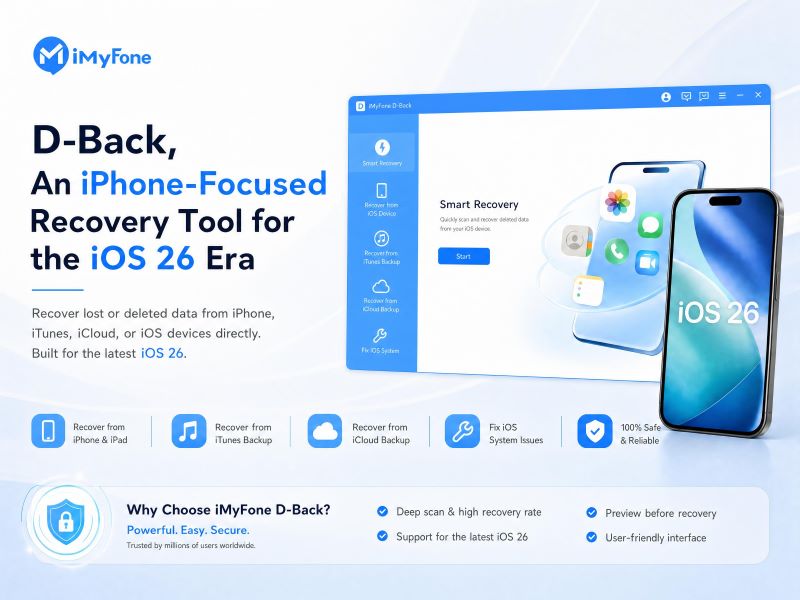

A guided iPhone data recovery solution for restoring lost photos, messages, WhatsApp chats, and backups in the iOS 26 era
FL, UNITED STATES, August 25, 2026 /EINPresswire.com/ — iPhone data is more valuable than ever. Photos, 4K videos, Messages, WhatsApp chats, contacts, notes, and iCloud backups often hold years of personal and work information. When that data disappears after accidental deletion, an iOS update, a device reset, or a failed transfer, users need a recovery tool that is clear, fast, and easy to follow.
iMyFone D-Back is designed for those situations. While it also supports Android, Windows, Mac, and external storage recovery, its iPhone recovery features are the main reason to consider it.
Quick Take
iMyFone D-Back is a practical choice for iPhone users who want a guided way to recover deleted or missing data from an iPhone, iTunes backup, or iCloud backup. It supports common data types such as photos, videos, messages, contacts, call history, notes, WhatsApp data, and other app-related files.
Its strongest advantage is flexibility. If the iPhone is still accessible, users can scan the device directly. If the phone is damaged, reset, lost, or replaced, D-Back can also recover data from available iTunes or iCloud backups.
Pros
• Strong focus on iPhone and iPad recovery
• Supports recovery from iOS devices, iTunes backups, and iCloud backups
• Recovers photos, videos, messages, contacts, call history, WhatsApp data, and more
• Allows users to preview files before recovery
• Simple workflow for non-technical users
• Also supports Android, Windows, Mac, SD cards, USB drives, and external drives
Cons
• Recovery is not guaranteed if deleted data has been overwritten
• Backup recovery depends on what was saved before the data loss
• Large photo and video libraries may take time to scan
• Severely damaged devices may still require professional repair or recovery service
Pricing and Deal
D-Back offers a free download so users can scan and preview recoverable files before choosing a paid plan. Readers can use coupon code DBACK to get 20% OFF at https://www.imyfone.com/data-recovery-software/
Why iPhone Recovery Matters Now
With newer iPhones capturing higher-quality photos and video, users are storing more irreplaceable content on their devices. iOS 26 also keeps more daily activity inside core Apple apps, including Messages, Photos, and backup-connected services. A deleted conversation, missing photo library, failed update, or broken device can quickly become more than a small inconvenience.
D-Back is useful because it does not rely on only one recovery path. Users can recover directly from an iPhone, search an iTunes backup, or access an iCloud backup. That gives them more options when the original device is unavailable or the data is no longer visible on the phone.
What D-Back Can Recover
For iPhone users, D-Back can recover many of the files people care about most: photos, videos, text messages, contacts, call history, notes, WhatsApp data, and other app information. This matters because important iPhone data is often spread across multiple apps rather than stored in one folder.
The preview feature is especially helpful. Instead of restoring an entire backup just to find one message thread or a few photos, users can scan, review what is available, and recover only the items they need.
Ease of Use
D-Back follows a simple process: choose the recovery source, scan for lost data, preview the results, and recover selected files. This makes the software approachable for users who may be dealing with data loss for the first time.
The interface is designed for clarity rather than advanced technical control. That makes it a good fit for families, students, creators, office workers, and small business users who need a recovery tool that explains the next step clearly.
Recovery Expectations
No iPhone recovery tool can promise perfect results in every case. Success depends on whether the missing data still exists and has not been overwritten. If the device has been used heavily after deletion, some files may be incomplete or unrecoverable.
For the best chance of recovery, users should stop using the affected iPhone as soon as possible. Avoid taking new photos, installing apps, recording videos, or updating iOS before scanning. D-Back’s preview function helps users understand what can actually be recovered before they proceed.
Final Verdict
iMyFone D-Back is at its best as an iPhone recovery tool. It offers multiple recovery paths, supports the data types iPhone users most often lose, and keeps the process simple enough for non-technical users.
As iPhones continue to store more photos, videos, messages, app data, and backup-connected information, having a tool that can recover from the device, iTunes, and iCloud is increasingly useful. D-Back is not a magic fix for overwritten data, but for everyday iPhone data loss, it is a practical and approachable first option.
Daisy Perry
iMyFone
daisy@imyfone.com
Visit us on social media:
YouTube
Legal Disclaimer:
EIN Presswire provides this news content “as is” without warranty of any kind. We do not accept any responsibility or liability
for the accuracy, content, images, videos, licenses, completeness, legality, or reliability of the information contained in this
article. If you have any complaints or copyright issues related to this article, kindly contact the author above.

Media gallery